Optimize cold calling process in CarNow Internal Tool (CRM, IMS)
Domain
CRM, IMS
Team
1 Product Designer. 1 Leader
Duration
1 month

The Challenge
Our previous internal tools was DESIGNED BY DEVELOPERS, not designers. Hence, it was very difficult to use. The situation was manageable when there was one CS colleague, she asked around when she ran into trouble. However, when the CS team scaled up with more part-time employees, the confusing UX became a hinder to the overall productivity.
Goals
1.
Create a CRM & IMS that matches internal needs
2.
Reduce customer
management effort
3.
Create a blueprint for future expansion
My role
Under the guidance of anh Sang Le - my design lead, I was the main designer of the project. My main tasks included:
Research and Interviews
Ideation
Pitch Presentation
UI & UX Execution
Research
User persona
We conducted interview with our CS team to understand their workflow & pain points. Needless to say, they have a lot of UX frustration about the current system


During the interview, we found out significant friction in the end-to-end cold calling process. The flow from filtering prospects, calling, logging their answers, are said to be unintuitive and complicated. The most frustrated part was that they have to manually dial dozen of phone numbers every morning to call the customers

Information Architecture to organize inventory management functionality and highlight important interactions
As one of the goal was built for scalibility, we first create an information architecture map to have high-level view of the system structure. This enable the flexibility and modularity of the system
We decided to move inventory management functionality inside the individual merchant profile pages. This is because our CS team didn't prioritize having a overview of all the inventory in the system but rather a list of inventory that a merchant had. A overview inventory management page was also taken into consideration and implemented in the next phase.
We also highlight important interactions that users might take in the IA

Outcomes: Solve important interaction with smart UX
All internal tools share a foundational structure: table, actions and a filter & sort. However, God is in the details, designing those components to solve specific user pain points is what differentiate a powerful internal tools from a prettier Excel sheet
Status-based tab
We segmented customers base on their status. We also set "pending" as the default tab since that's what our B2C sales team care the most.

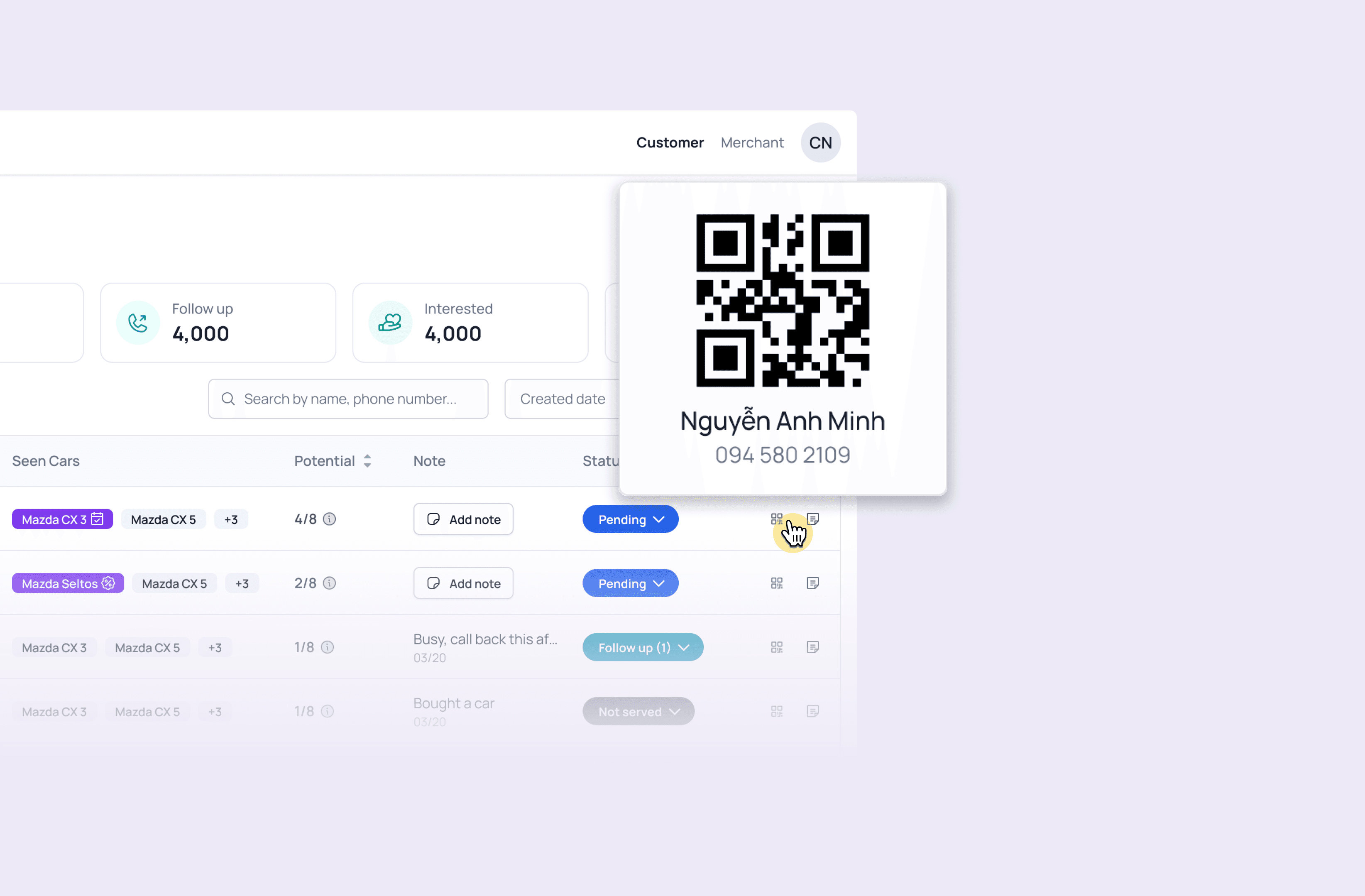
QR code for quick dialing
"Loving the QR code" - Instead of manually typing number, our team just scan and call
Reduce context switching
Switching between two screen → Use popover and drawer to help user take multiple actions in one screen
